LUT Optimizer
Test all 31 free festival LUTs on RED footage or your own frame, shape your own variant in the grading studio, and export a custom 33- or 65-point .cube for post or camera.
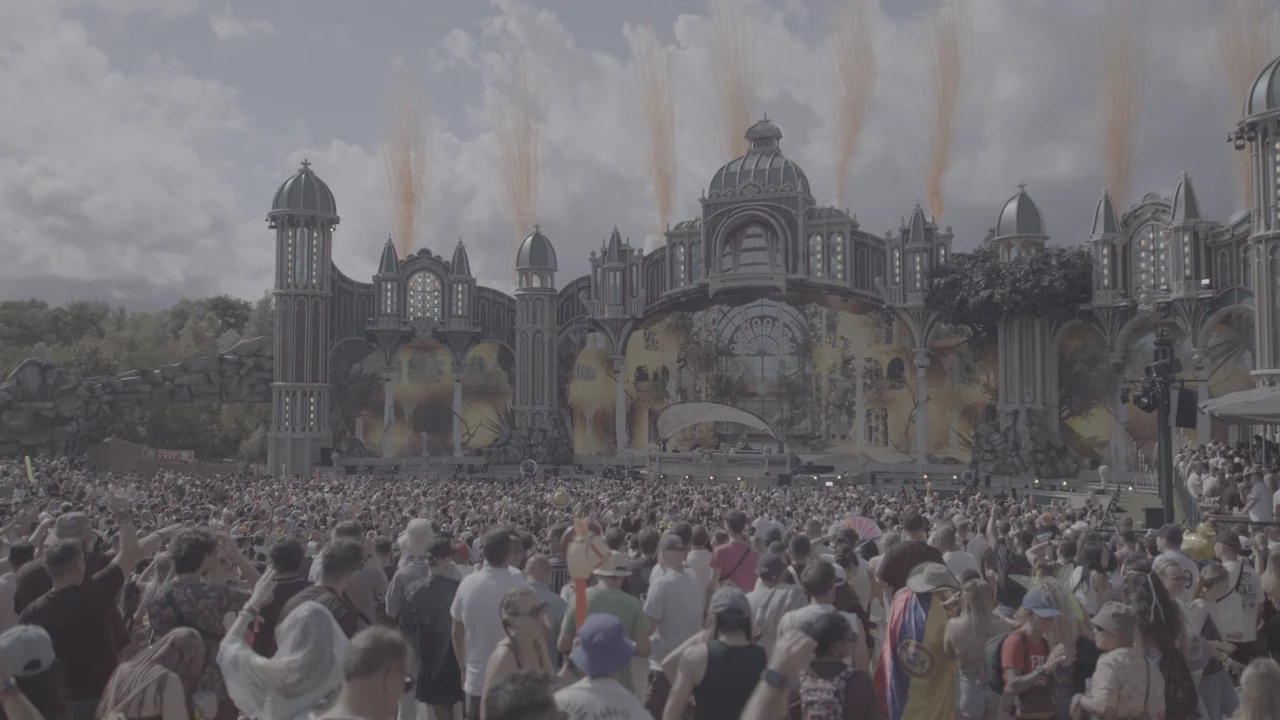
Reference stills · RED KOMODO-X
Your LUT
- Clipped
- —
- Crushed
- —
- Average luma
- —
Grading studio
Lift · Shadows
Gamma · Midtones
Gain · Highlights
Shadows
Highlights
Neutrality
Export & Recipe Studio
Everything on screen, baked in your browser: the base LUT, its strength, the exposure and the grading studio.
For Post: the look on Rec.709, for a project that converts the camera's log first. For Camera / Monitor: the camera's log to Rec.709 in front of it, ready for an SD card in a Sony FX3 or FX6, a SmallHD, an Atomos or a RED.
How the LUT Optimizer works
Every LUT in the library runs directly on your GPU as a real 3D .cube texture on RED Log3G10 and Sony S-Log3 festival frames. Drop your own ungraded frame onto the viewer — JPEG, PNG, WebP, 16-bit TIFF, or OpenEXR — to test a look on your own camera footage. Files stay in your browser memory and are never uploaded.
Grading studio & scopes
Use the A/B wipe to compare the look against raw Log, normalized Rec.709, or a second pinned LUT. The six studio modules — White Balance & ±4-stop scene-light Exposure, Primaries, Contrast & Rolloff, 6-vector tetrahedral HSL, Split Tone, and Film Matrix — shape the image after the LUT, while the live Waveform, RGB Parade, Vectorscope, Histogram, Tone Curve, and 3D Cube show clipping, black crush, and color shifts in real time.
Exporting for post or camera monitors
Export a 65 × 65 × 65 .cube (For Post) for finishing in DaVinci Resolve, Premiere Pro, or Final Cut Pro, or bake your camera's Log-to-Rec.709 transform into a 33 × 33 × 33 .cube (For Camera / Monitor) ready for an SD card in a Sony FX3, FX6, SmallHD, Atomos, or RED monitor. You can also export a graded 16-bit TIFF still or save your settings as a .json recipe.
Camera log reference
Where 18% middle gray lands and how many stops of highlight headroom sit above gray for each camera profile supported by the transform engine:
| Format | 18% gray | Stops above gray |
|---|---|---|
| Sony S-Log3 | 41.06% | 7.74 |
| Canon C-Log3 | 34.34% | 6.35 |
| Panasonic V-Log | 42.33% | 8.00 |
| ARRI LogC3 | 39.10% | 8.26 |
| RED Log3G10 | 33.33% | 10.00 |
| Apple Log | 48.83% | 6.06 |
| Blackmagic Film Gen5 † | 38.36% | 10.27 |
| DJI D-Log M † | 39.88% | 7.87 |
| Z CAM Z-Log2 † | 46.33% | 5.36 |
† Fitted to manufacturer LUT or specification (S-Log3 · C-Log3 · Apple Log · RED Log3G10 · Installing .cube LUTs).
Stress test: your .cube on our hardest stage frames
Load a 3D LUT and it runs on one of two RED Log3G10 frames from the footage vault: blue 445 nm laser beams over a crowd, and a wide tent under a blue and magenta stage. The left half is your LUT, the right half is the site’s own log to Rec.709 conversion, baked here at 65 points per side. Turn on false color to see, on both halves, what clips and what bands. The file stays in your browser.
white clip (luma 95% or more) gamut clip (a colored pixel with a channel at 0 or 1) banding (a step of 4+ codes where the log moved one)
| On this frame | Your LUT | The conversion, 65³ |
|---|
How the stress test counts
Each frame is read as stored, 8-bit log code values at 960×540, and every pixel goes through the LUT with trilinear interpolation. White clip is the share of pixels at 95% luma or more. Gamut clip is the share of colored pixels (more than 25% between their highest and lowest channel) with a channel pinned at 0 or at 1: the flat blue and magenta patches a saturated LED wash becomes once it is pushed outside Rec.709. Banding is the share of neighboring pixel pairs whose log input moved by at most one code but whose output stepped 4 or more 8-bit codes. Folds and the 8-bit ramp score are the inspector’s, on each lattice. The conversion clips the bluest LED light too: it holds no light below zero, and on the tent frame much of the stage sits on a rail on both halves. The numbers say how much, for each side.